
Share the findings.
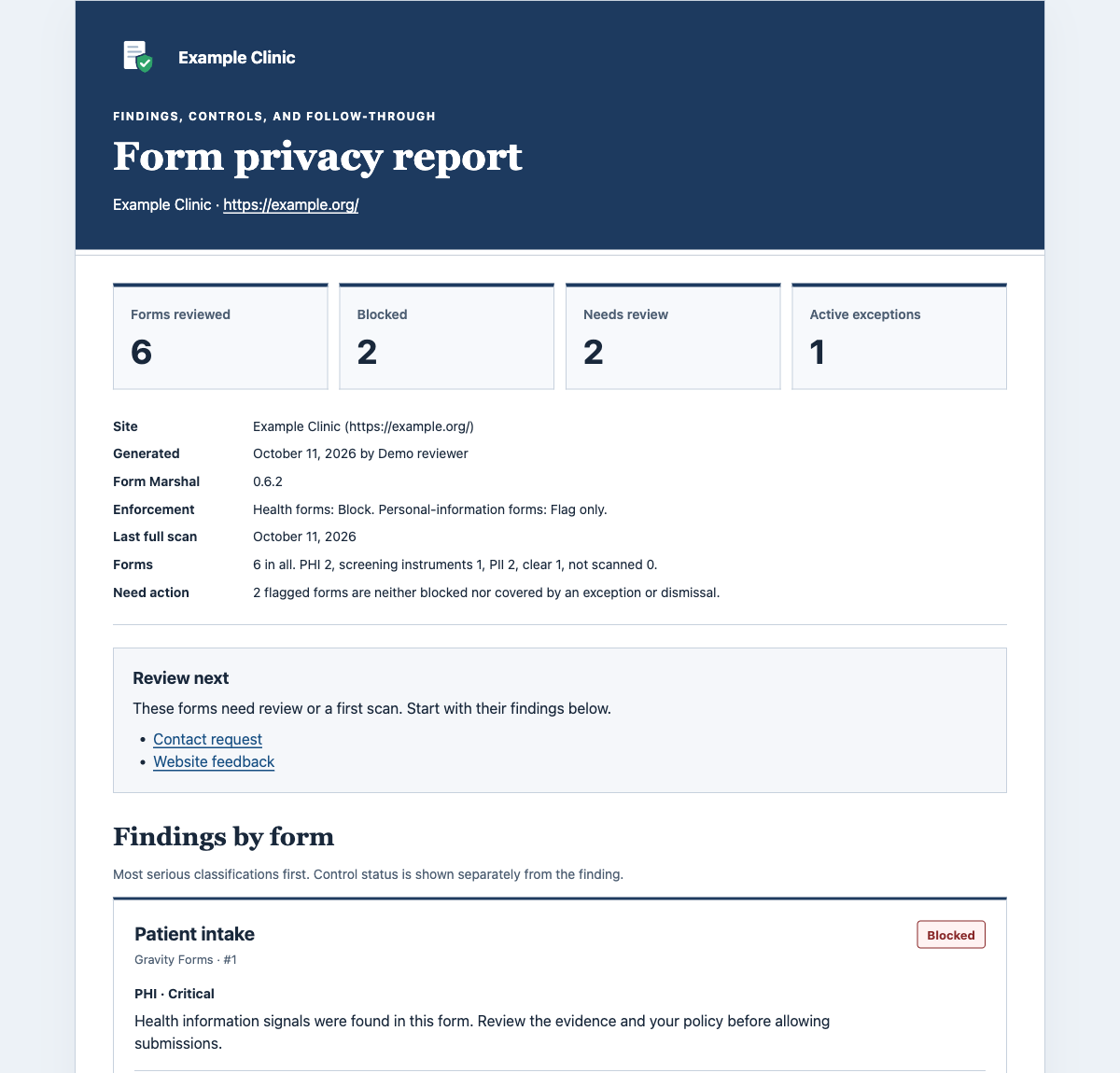
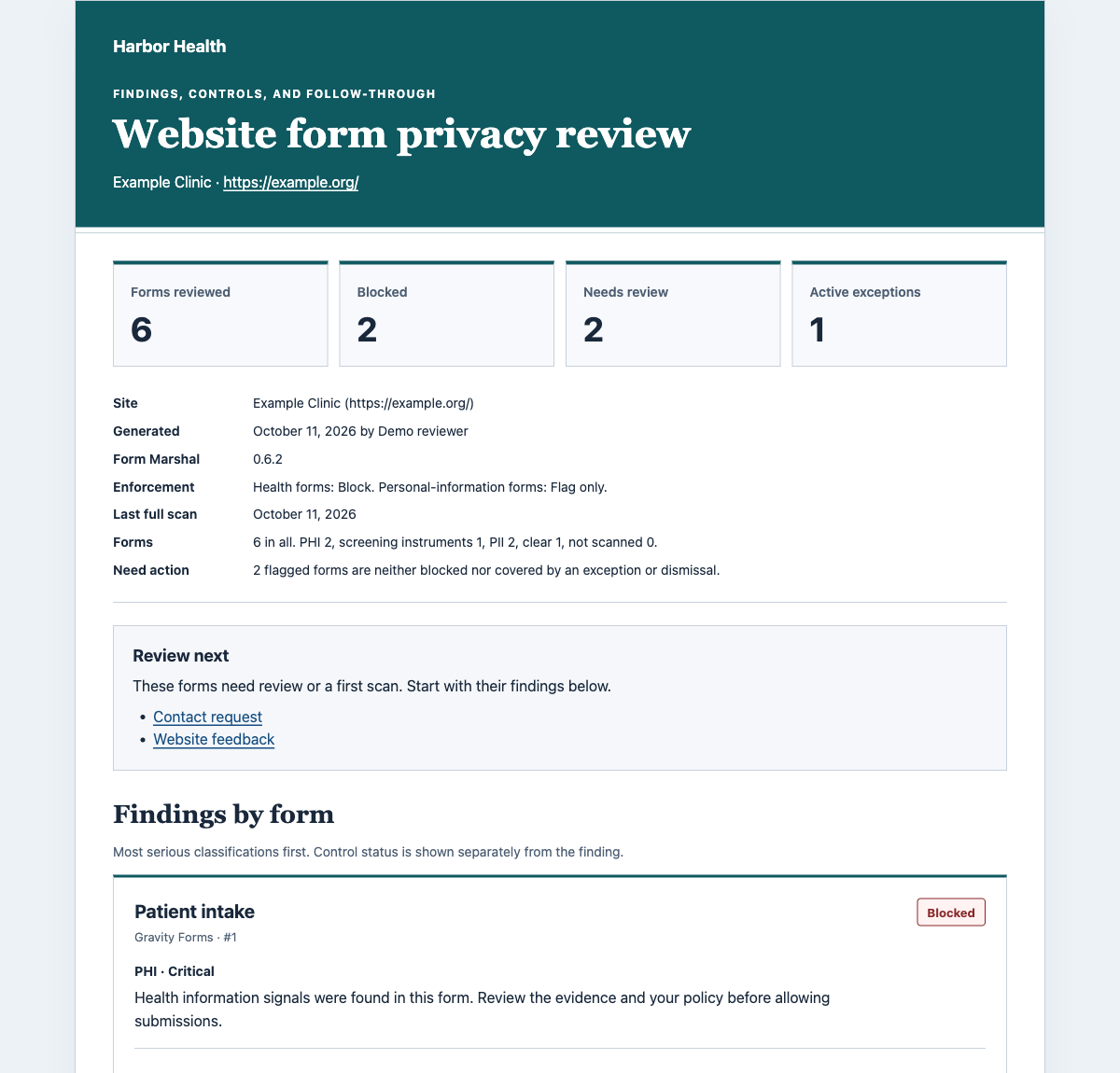
Print reports, save as PDF, or download Markdown. Add your organization's name, logo, color, title, and footer.
Know what your WordPress forms collect. Give your team the reports, network rules, and updates to do something about it.
Built on Free, which includes findings and basic reports. Start safely with Free.
WORKS WITH THE FORMS YOU ALREADY USE
Print reports, save as PDF, or download Markdown. Add your organization's name, logo, color, title, and footer.
See site counts and set minimum enforcement, maximum retention, and entry sampling rules across a WordPress multisite network. Sites cannot loosen those rules.
Email finding counts and a list of health-information forms. Send when findings change, or choose a summary every day.
Send form events to a URL you choose. Use a shared secret to sign messages so the receiving system can verify them. Messages never contain form answers.
A protected health check tracks health-information forms, blocked forms, exceptions expiring within 14 days, and the last scan time.
Download the audit log as CSV for your records. The file streams to your browser, and the export is recorded in the log.
Use your organization's name, logo, color, title, and footer. Or keep the default Form Marshal design.
Reports and event messages leave out submitted form answers. Form Marshal does not certify HIPAA compliance or replace a privacy review.
Reports cover every form, with the most serious findings first. See status, finding reasons, stored entry counts, data destinations, and the pages where each form appears.
Header text switches to black or white for contrast. Status labels keep their meaning. Print or save as PDF; page numbers work in supported browsers.
Product credit is optional. The privacy and compliance disclaimer always stays. A confirmed reset restores default branding; uploaded logos stay in your Media Library.
| What you can do | Form Marshal Free | Form Marshal Free + Pro |
|---|---|---|
| Scan forms from six supported plugins | Included | Included |
| Basic admin reports and editor warnings | Included | Included |
| See findings and block flagged forms | Included | Included |
| Manage time-limited exceptions | Included | Included |
| Receive individual event emails | Included | Included |
| Share reports: print, save as PDF, or download Markdown | Not included | Included |
| Brand reports with your name, logo, color, and footer | Not included | Included |
| View network counts and set minimum rules | Not included | Included |
| Receive daily digest emails | Not included | Included |
| Connect signed event messages and monitoring | Not included | Included |
| Export the audit log as CSV | Not included | Included |
Network controls apply to WordPress multisite. Pro requires the free plugin to be active.
Pro requires the active Free plugin. Every plan includes all Pro features.
Start with Form Marshal FreeEach WordPress site counts toward your plan's site allowance. On multisite, each site counts as one activation.
Network controls work within one WordPress multisite network. They do not combine unrelated WordPress installations into one dashboard.
Purchases and licensing are handled by Freemius. Pro features keep working when a license expires; updates and support require renewal.
Start on a test copy with a supported form plugin. Free defaults to Block for health-information forms; select Flag for an initial review. Follow the safe Free setup guide.
Upload and activate your Pro ZIP. For multisite, network-activate it.
Use Activate License on the Plugins screen. Then set up reports, notifications, or network rules.
Yes. Pro is a separate add-on, not a replacement. It needs Form Marshal 0.5.0 or newer, active and running, with a supported form plugin. Both require WordPress 6.4 or newer and PHP 7.4 or newer.
Yes. In Report branding, set your organization name, a local logo, brand color, report title, and footer text. You can hide the Form Marshal product credit. The privacy and compliance disclaimer always stays. Settings apply per site, and a confirmed reset restores the defaults.
No. Form Marshal flags likely problems and gives you tools to apply your organization's policies. Neither Free nor Pro certifies compliance or replaces a security and privacy review.
Yes, within your license's site allowance. The network dashboard and shared minimum rules work within a WordPress multisite network. They do not create a central dashboard for unrelated WordPress installations.
A super admin can activate a license across a network. Each site counts as an activation, so choose a license with enough sites for the network.
Pro's features keep working. Updates and support stop until you renew. The free plugin continues to work independently.
Pro uses Freemius for licensing and updates. A licensed site shares its address, software versions, and Pro activation status. Activation may also send the administrator's name and email. Configured digests send summaries to your chosen recipients, and event messages go to your chosen URL. Reports and event messages contain no submitted entry values. Read the privacy details.
Use the Form Marshal support repository on GitHub for questions, bugs, and feature requests. Issues are public: do not post form answers, patient information, license keys, or passwords. Report security issues privately through GitHub's private vulnerability reporting.