FORM MARSHAL FREE / GETTING STARTED
Try Form Marshal Free on a test site.
Use these steps for a first review. All the core findings, basic reports, and editor warnings are included in Free.
Try it on a test copy first. Use Flag mode to review the findings before choosing what to block. Activation defaults to Block for health-information forms.
Use a test copy.
Create or use a test copy of the WordPress site. Keep the first review away from live visitors and real submissions.
Check the requirements.
Use WordPress 6.4 or newer and PHP 7.4 or newer. Activate a supported form plugin. Gravity Forms needs version 2.7 or newer when used.
- Gravity Forms
- Ninja Forms
- WPForms
- Contact Form 7
- Fluent Forms, including Fluent Forms Pro
- Forminator
Install Form Marshal Free.
On the test copy, open Plugins → Add New Plugin. Search for Form Marshal, install it, and activate it. No Pro purchase or email signup is needed.
Select Flag for the first review.
Activation defaults to Block for health-information (PHI) forms and Flag for personal-information (PII) forms. Open Form Marshal Settings → Policy. Set Enforcement for PHI forms to Flag. Keep Enforcement for PII forms on Flag, then save. Flag reports findings without blocking. A policy pack or network rule can lock these choices; ask your site administrator if a setting cannot change.
Open the findings.
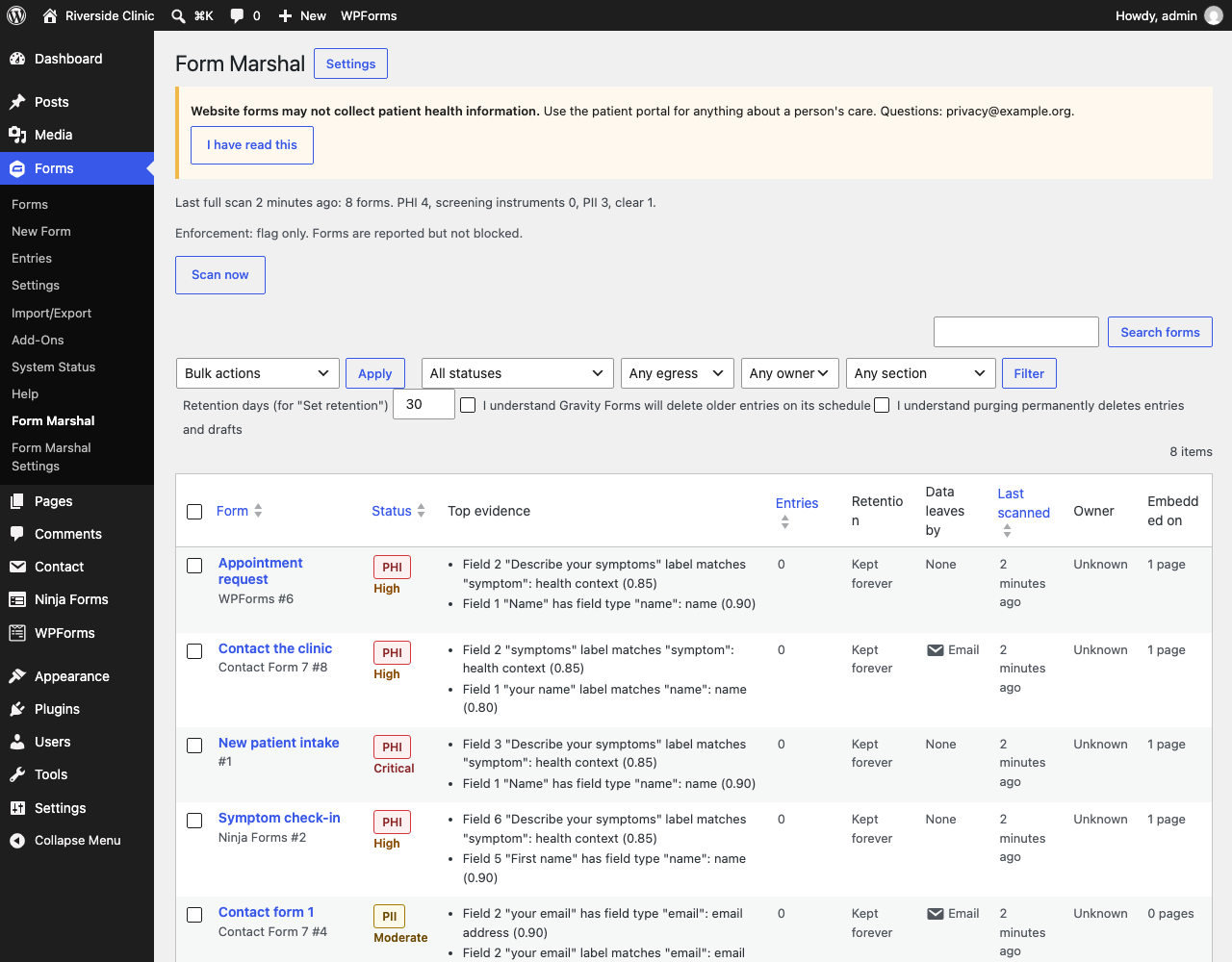
With Gravity Forms active, open Forms → Form Marshal. Otherwise, open Tools → Form Marshal. Use Scan now to run a review. Open a form to see its fields and the reasons behind its findings.
Review the evidence.
The basic scan checks form fields, settings, and placement. Optional entry sampling checks patterns in stored answers and retains pattern names and counts, not the answers. Do not share stored answers in support requests. A finding is a reason to review, not a compliance decision.
Choose your next action.
Change unnecessary questions, review where answers go, and apply your organization's policy. If needed, request a time-limited exception for an administrator to review. Use the form-review checklist to record the decision.
Test before using Block on the live site.
Check editor warnings, the visitor message, and submission behavior on the test copy. Block replaces a flagged form and refuses its submissions. Review any network rules and exceptions before applying the same settings to the live site.
Get help without sharing answers.
Use GitHub support for questions and bugs. Issues are public. Leave out form answers, personal information, passwords, and license keys. Use private security reporting for vulnerabilities.
Form Marshal helps apply form policies. It does not certify compliance or replace a privacy review.
WHEN PRO HELPS
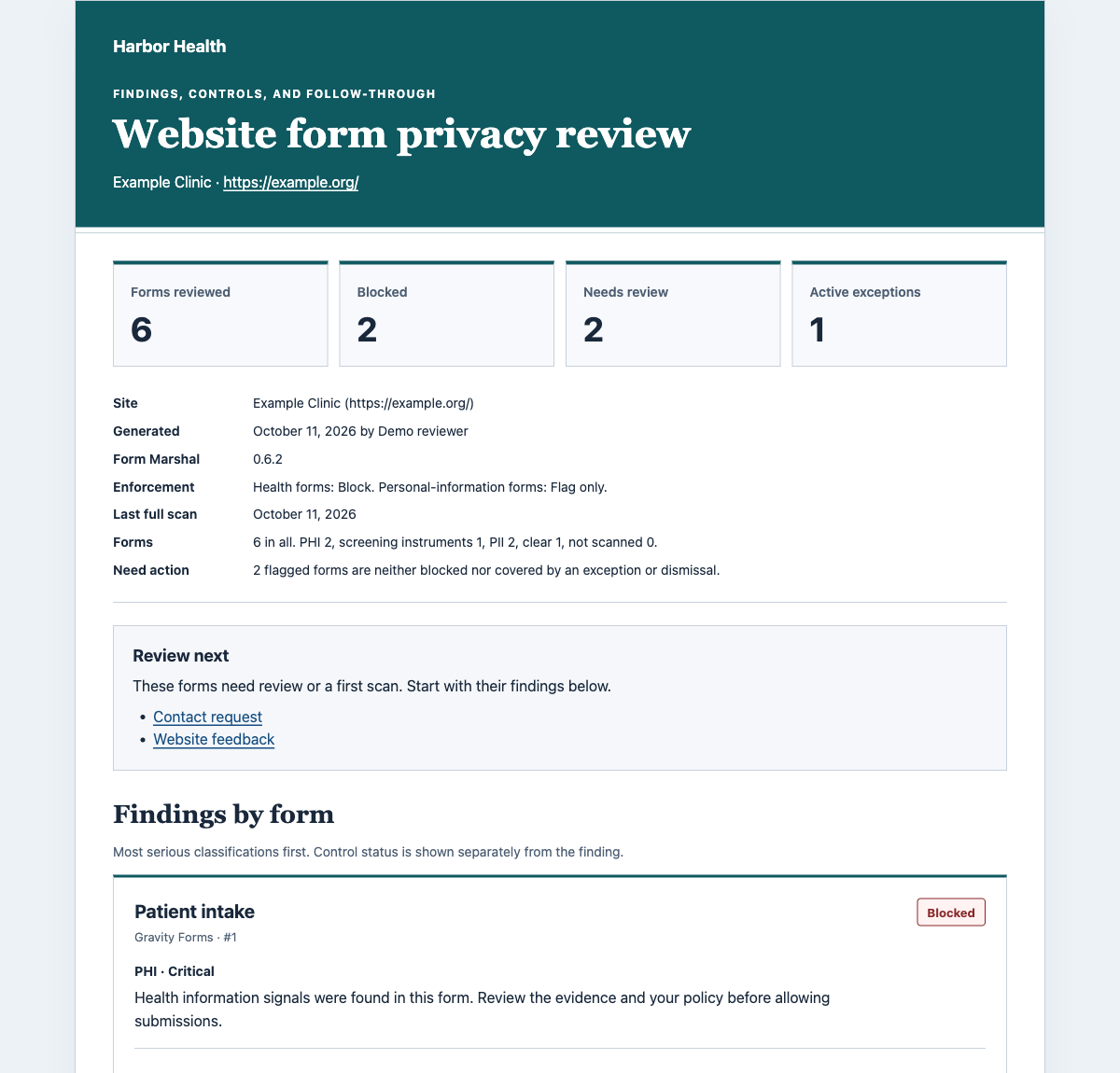
Share the findings when more people need the picture.
Free provides findings, basic reports, editor warnings, blocking, and limited exceptions. Pro adds reports you can share and brand, daily summaries, and tools for overseeing a WordPress multisite network.
Network oversight covers one shared WordPress network. It does not join unrelated WordPress installations into a central dashboard.
Pro requires the active Free plugin. The sample uses fictional data.