Find likely concerns
Scan form fields and settings for likely health or personal-information concerns. Read the findings and basic reports in WordPress.
FOR COLLEGE AND UNIVERSITY WEB TEAMS
Department forms change as staff add questions. Form Marshal helps campus web teams find likely health or personal-information concerns and apply form policies.
Try it on a test copy first. Use Flag mode to review the findings before choosing what to block. Activation defaults to Block for health-information forms.
THE EVERYDAY CAMPUS FORM
A contact or service-request form may gain questions about a person's health or other personal details. Your web team needs a way to notice those changes and help editors follow the same rules.
New field label
Describe any medical conditions we should know about.
Review this question. Does a general event request need health details? Who will receive them, and where will they be stored?
Example field text only. No submitted answers.
START WITH FORM MARSHAL FREE
Scan form fields and settings for likely health or personal-information concerns. Read the findings and basic reports in WordPress.
Give editors field-level warnings as they build a form, so they can review questions before the form goes live.
Choose reporting or blocking to fit your policy. Free also includes time-limited exceptions with an approval process.
SAFE FIRST REVIEW
Review what the plugin finds before choosing what visitors can submit.
Follow the full setup guideWHY I BUILT FORM MARSHAL
I'm Brent Passmore. I've spent 25+ years in higher education managing university websites and web teams. I built Form Marshal to help teams spot form questions that deserve a closer look and give editors clearer guidance.
WHEN PRO HELPS
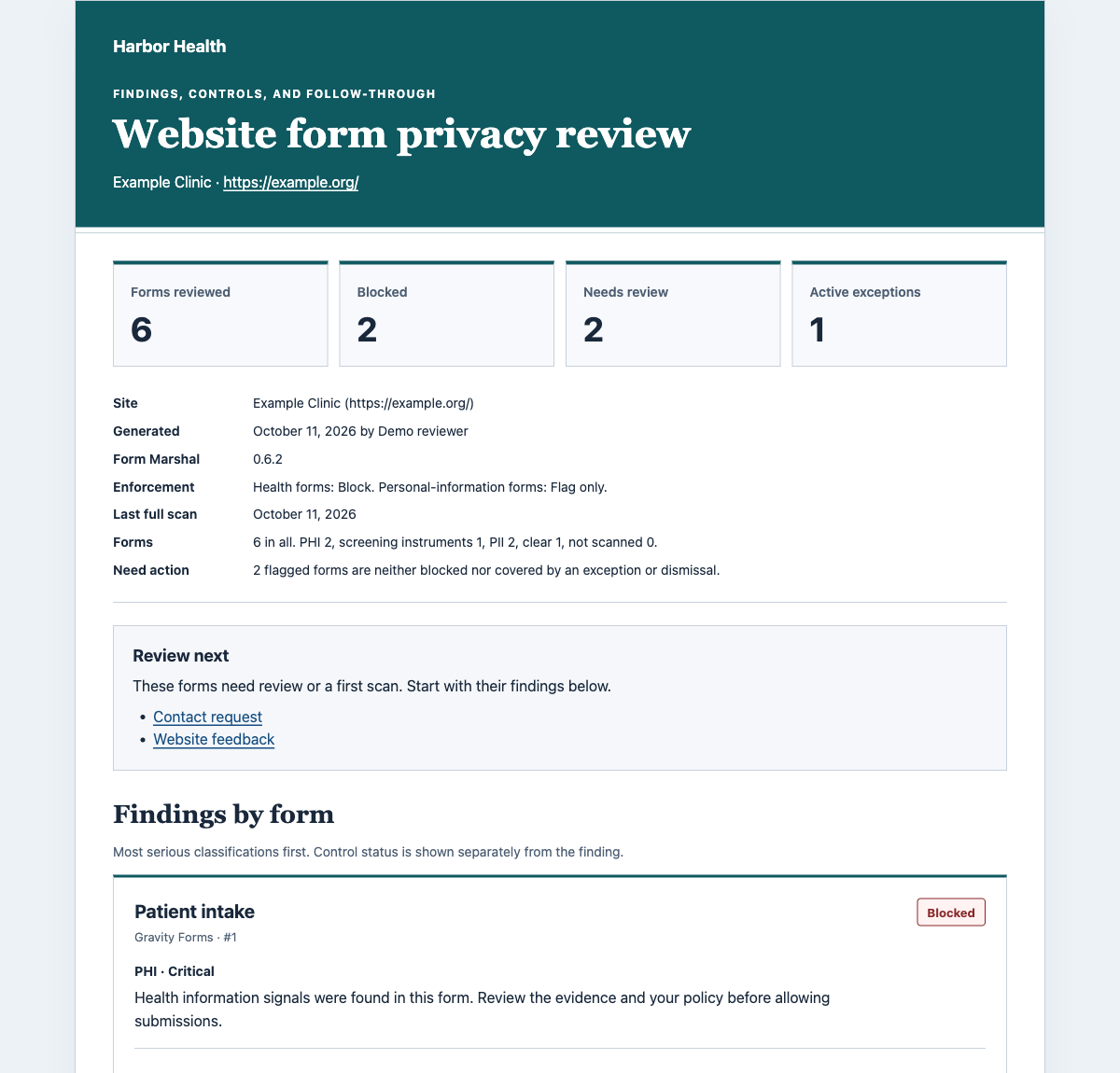
Free provides findings, basic reports, editor warnings, blocking, and limited exceptions. Pro adds reports you can share and brand, daily summaries, and tools for overseeing a WordPress multisite network.
Network oversight covers one shared WordPress network. It does not join unrelated WordPress installations into a central dashboard.
Pro requires the active Free plugin. The sample uses fictional data.
Yes. Free includes the core scans, findings, basic admin reports, editor warnings, blocking, and limited exceptions. Pro is optional.
Gravity Forms, Ninja Forms, WPForms, Contact Form 7, Fluent Forms (including Fluent Forms Pro), and Forminator.
By default, health-information forms use Block mode. Personal-information forms use Flag mode. Start on a test copy and select Flag for health-information forms before your initial review. A policy pack or network rule may lock a setting.
No. It flags likely concerns and helps apply your policies. It does not certify HIPAA compliance or decide what every form should collect.
Shareable and branded reports, daily summaries, WordPress multisite oversight, signed event connections, monitoring, and audit log CSV export. Free's basic reports remain included.
Each licensed site can use Pro. The network dashboard is for one WordPress multisite network, not a central dashboard across unrelated installations.
START WITH FREE
Try it on a test copy first. Use Flag mode to review the findings before choosing what to block. Activation defaults to Block for health-information forms.